Quick Start Guide
This guide will help you get up and running with our platform in just a few minutes.
Prerequisites
Before you begin, ensure you have the following installed:
- Node.js 18.0 or higher
- npm or yarn package manager
- Git version control system
- A code editor (VS Code recommended)
Installation Steps
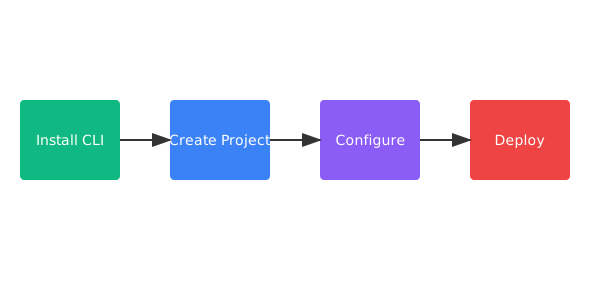
Step 1: Install the CLI
Install our command-line interface globally using npm:
npm install -g @techdocs/cliOr if you prefer yarn:
yarn global add @techdocs/cliStep 2: Create a New Project
Create a new project using our CLI:
techdocs create my-awesome-project
cd my-awesome-project
Step 3: Install Dependencies
Install the project dependencies:
npm installStep 4: Configure Your Environment
Create a `.env` file in your project root:
API_KEY=your_api_key_here
DATABASE_URL=your_database_url
NODE_ENV=development
Important
Never commit your `.env` file to version control. Add it to your `.gitignore` file.
Step 5: Start Development Server
Run the development server:
npm run devYour application will be available at `http://localhost:3000`
Project Structure
After initialization, your project structure will look like this:
my-awesome-project/
├── src/
│   ├── components/
│   ├── pages/
│   ├── styles/
│   └── utils/
├── public/
├── tests/
├── .env.example
├── package.json
└── README.md
Next Steps
Now that you have your project set up, you can:
- Explore the API documentation
- Learn about best practices
- Check out example projects in our GitHub repository
- Join our community Discord for support
Common Issues
Installation fails with permission errors
Try using sudo for global installations or use a Node version manager like nvm.
Port 3000 is already in use
You can specify a different port using the PORT environment variable: `PORT=4000 npm run dev`